The best music setup on a Mac is the player you already use, Spotify or Apple Music, plus a few small apps that each do one job well: Verci for lyrics on the lock screen, Lumn for light that moves with the beat, Sleeve for what’s playing on the desktop, SoundSource for volume and EQ per app, NepTunes for Last.fm, and Doppler for music files you own.
We make Verci and Lumn, so read what we say about those two with that in mind. The other four are made by other developers.
| App | What it adds | Works with |
|---|---|---|
| Verci | Word-by-word lyrics on the lock screen | Spotify, Apple Music |
| Lumn | Light around the screen’s edges that follows the beat | Spotify, Apple Music |
| Sleeve | Artwork, track and controls on the desktop | Spotify, Apple Music, Doppler |
| SoundSource | Volume, EQ and output for each app | Any app that plays sound |
| NepTunes | Last.fm scrobbling from the menu bar | Spotify, Apple Music |
| Doppler | A library and player for files you own | MP3, FLAC, WAV, AAC and more |
Start with lyrics in the player you have
Both big players already show lyrics. In the Music app, play a song from the Apple Music catalogue and click the Lyrics button at the top of the window; the words scroll in time with the song (Apple’s guide). Spotify’s desktop app has a lyrics view for tracks that have them, opened from the Now Playing area, though the button has moved between versions.
Both only show lyrics while their window is open and in front. Lock the Mac or switch to another app and the words are gone. That is the gap the first app below fills.
Lyrics on the lock screen: Verci
Verci puts the lyrics of whatever is playing in Spotify or Apple Music over your Mac’s lock screen and lights each word at the moment it is sung. It reads real per-word timings, so the words land with the singer instead of a whole line appearing at once.
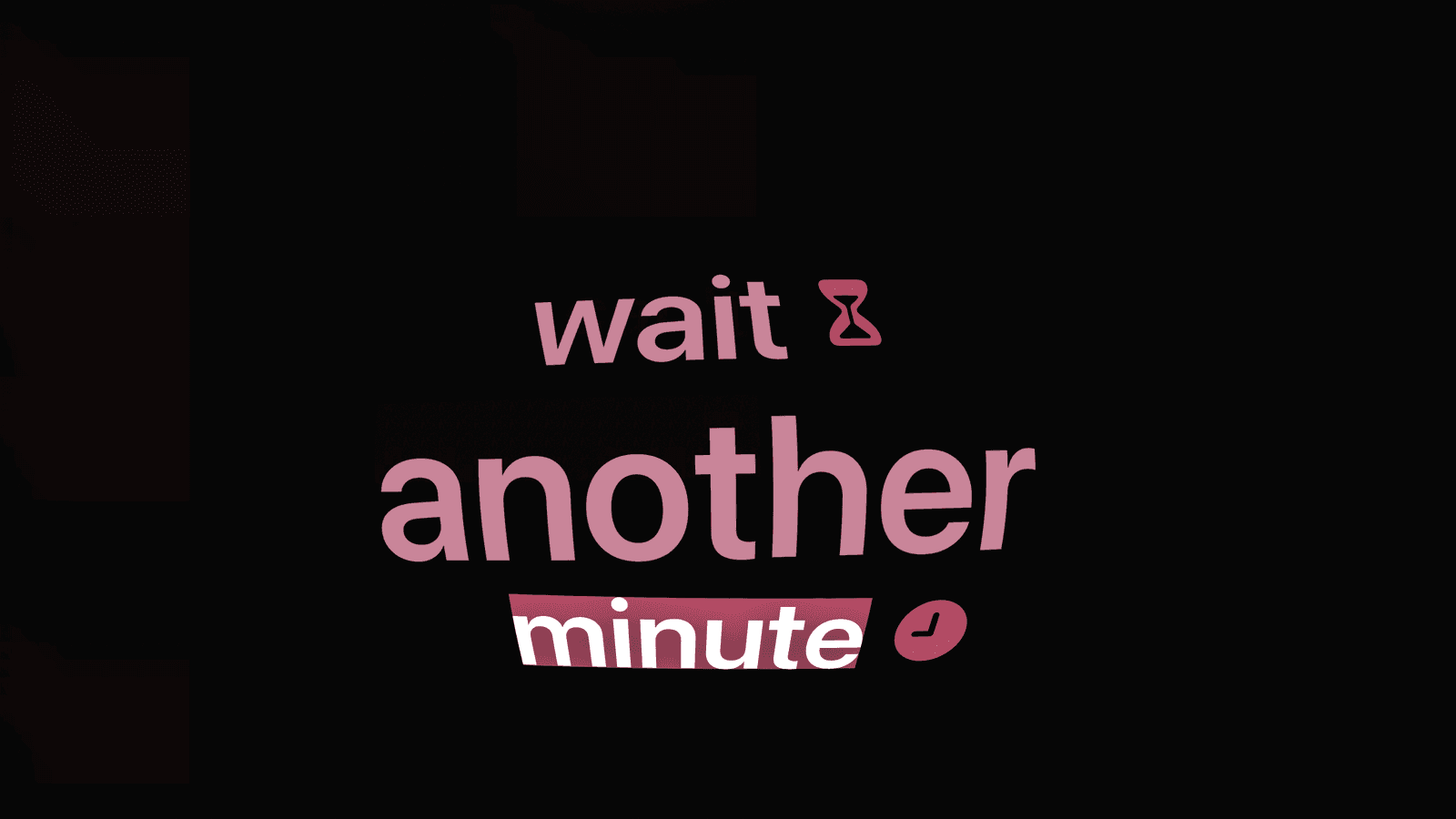
There are 13 styles in three families, from words that land one by one on a drifting wall to a song told as a message thread. A window lets you watch each style play before you pick, and set the colours, font and size. Verci lives in the menu bar, needs macOS 15 or later, and is a one-time purchase. About 9 in 10 of the tracks we tested have word-level lyrics.
Verci is on Windows too, where the lyrics float over the desktop instead of the lock screen, and one license covers both. See how it works on Windows.
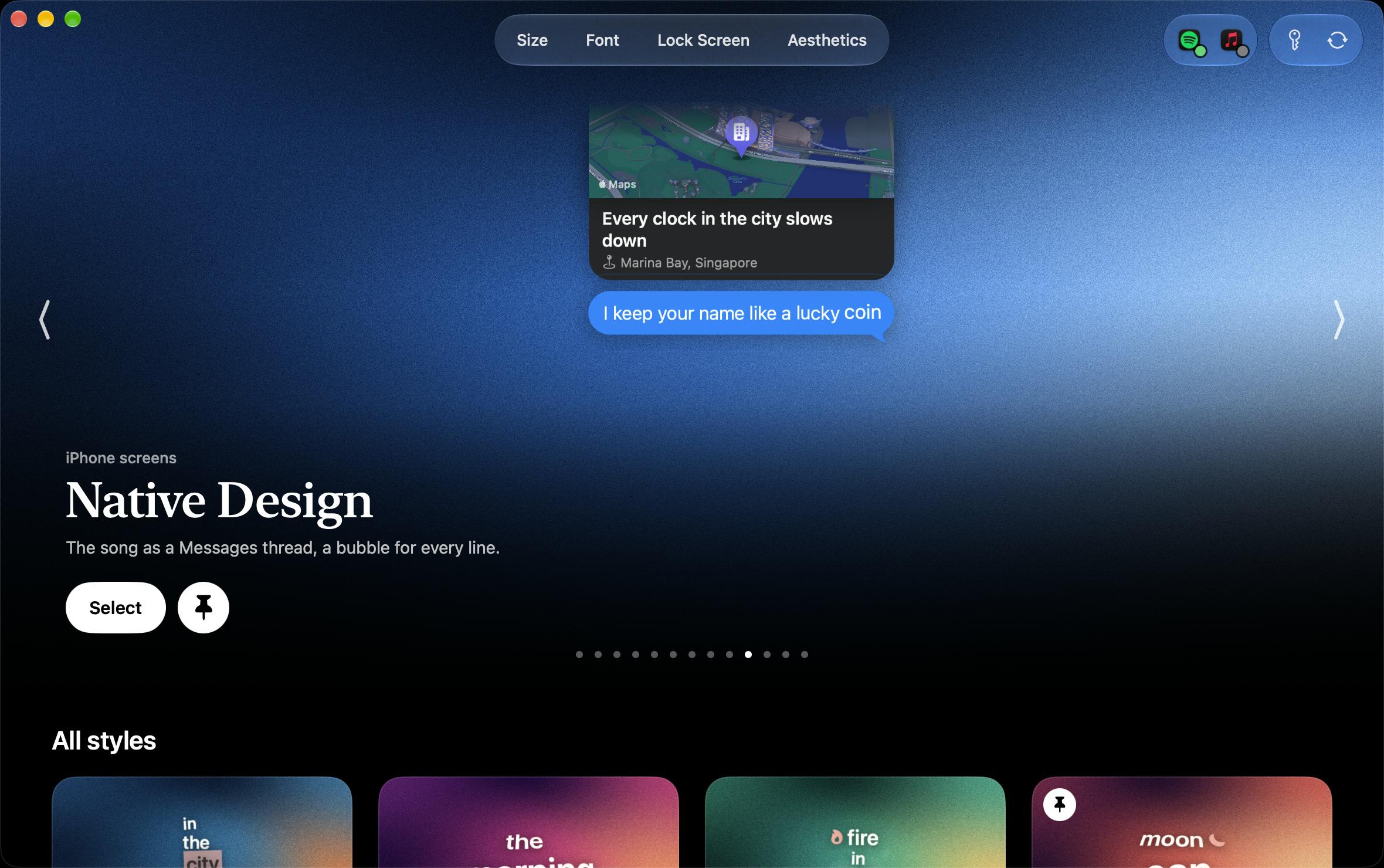
Good for: leaving music on while the Mac is locked, at your desk or from across the room.
Light that follows the beat: Lumn
Lumn turns the edges of your Mac’s display into a rim of light that reacts to whatever is playing in Spotify or Apple Music. The colour comes from the album art and the movement from the beat. It also adds a now-playing card to the lock screen.
It reads the sound your Mac is already playing, never the microphone, and idles when nothing is playing.
Good for: evening listening, when you want the room to feel the music without buying lights.
What’s playing, on your desktop: Sleeve
Sleeve by Replay Software puts the album artwork, track and artist on your desktop with playback controls, for Apple Music, Spotify and Doppler. Its settings run deep: artwork size, corner rounding, themes and keyboard shortcuts. It can also scrobble to Last.fm.
Recent versions are built for the newest macOS, so check the requirements on its App Store page before you buy.
Good for: a glance at the record that’s playing while you work.
Volume and EQ for each app: SoundSource
macOS has one volume slider for everything. SoundSource by Rogue Amoeba gives every app its own, so a call can stay loud while music sits underneath, and lets you send each app to a different output. Version 6 added an equaliser per app, with presets, and AirPlay output.
Good for: listening while you’re on calls, or giving music a different EQ from everything else.
Scrobbling to Last.fm: NepTunes
NepTunes sits in the menu bar and scrobbles what you play in Apple Music and Spotify to Last.fm, so your listening history builds itself. You can love tracks and control playback from it too. It is free to download, with in-app purchases.
Good for: a complete record of what you listen to, across both players.
A player for music you own: Doppler
If you buy music or keep a library of files, Doppler by Brushed Type is a player built around albums and artists rather than streams. It plays MP3, FLAC, WAV, AAC and more, can import your library from the Music app, and has an iPhone version. It is sold by the developer rather than through the Mac App Store.
Good for: Bandcamp purchases, CD rips and anything the streaming services don’t carry.
How we chose
Every app here does one thing the Mac doesn’t do on its own, works with the players most people use, and is still maintained. We left out apps that replace your music service and anything that only runs in a browser. We will update this list as the apps change.
Questions
Can a Mac show lyrics on the lock screen?
Not by itself. macOS has no setting for it, and Spotify and Apple Music only show lyrics inside their own windows. An app such as Verci draws them over the lock screen and lights each word as it is sung.
Does Apple Music on the Mac have synced lyrics?
Yes, for songs from the Apple Music catalogue. Click the Lyrics button at the top of the Music window while a song plays. For songs you added yourself, or songs without lyrics, the button is greyed out.
How do I change the volume of one app on a Mac?
macOS only has one system volume. An app such as SoundSource adds a separate volume slider, equaliser and output for each app.
Which app shows what’s playing on the Mac desktop?
Sleeve shows the artwork, track and artist on your desktop for Apple Music, Spotify and Doppler, with playback controls.